I see that you can add a rate (cost against a resource) in a task. Is it possible to add a fixed cost to a task (ie Materials) and show that in the Gantt chart? Then combine the resource cost and fixed cost?
Kind regards
David
I see that you can add a rate (cost against a resource) in a task. Is it possible to add a fixed cost to a task (ie Materials) and show that in the Gantt chart? Then combine the resource cost and fixed cost?
Kind regards
David
AFAIK, in the same task, no.
Workaround: add a new task with fixed cost and sufix “materials” 
Ok, thanks.
One other request which might be use to other users. When you export the gantt file to a pdf you can see the costs, durations etc. but the report does not total them. It would be nice if you could. I do know that you could export as a spreadsheet and do the totalling there , but it would nice in the pdf export.
Thanks again
David
Create a one big total summary task at the beggining of the project. Try and see…
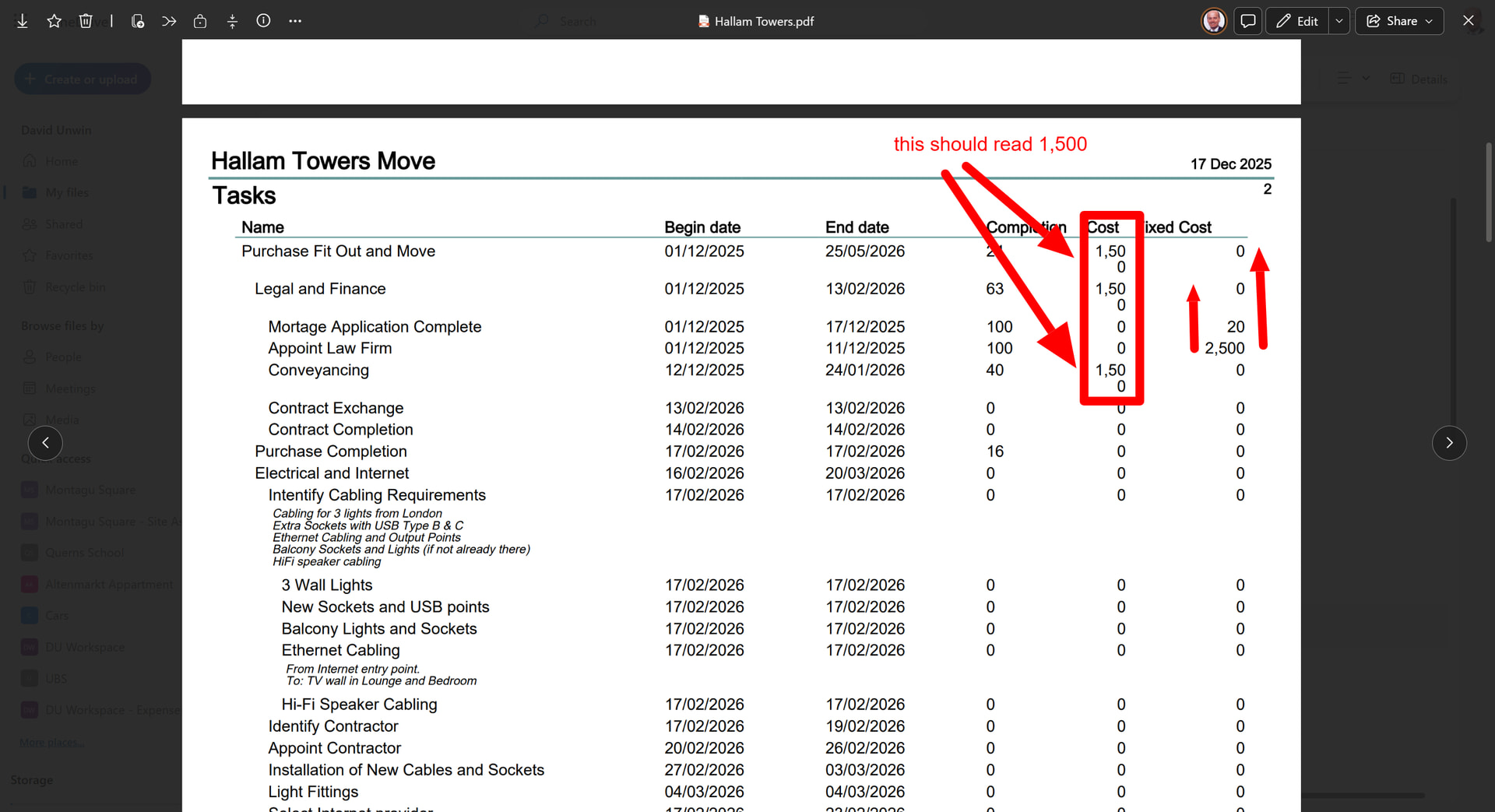
Ok, the totals work for Cost, but cost totals do not display properly. ie 1,500 shows as1,50
Also I have a custom integer field but I can total that field. see screen shot
Well, as I see it, it is NOT an error. It is a text adjustment  of the data to the column width.
Try either (a) use a wider paper size (i.e. A3) or (b) reduce font size.
Regarding the TOTAL cost, check if the field in the summary tasks is REALLY marked as “calculated”.
“Fixed cost” as a “custom column” is not supported as an aggregated data. Sorry. Use normal “Cost” standard field.
Thanks. I reduced the font size and it now looks fine.
Also understand that custom columns cannot be aggregated.